Chop Your Tree Controls & UI Guide
Every button, menu, and interaction explained for PC and mobile Roblox players.
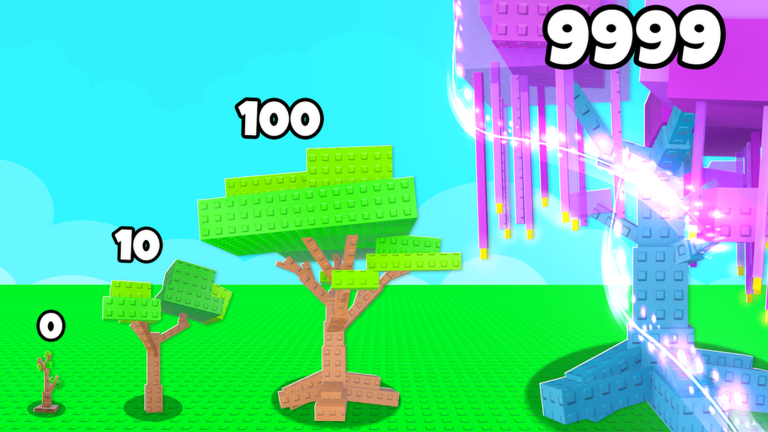
Chop Your Tree uses familiar Roblox controls, but incremental games hide important buttons inside shop tabs and prestige menus. Missing one UI element can make you think the game is broken when you simply have not unlocked the right panel yet. This guide maps movement, watering, chopping, shopping, plot expansion, and prestige screens so you spend less time hunting menus and more time growing your tree.
Pair this page with Getting Started if you are brand new, or Earn Coins Fast once you understand where each button lives.
Platform basics
Chop Your Tree runs through the standard Roblox client on PC, mobile, tablet, and console where supported. Controls inherit Roblox defaults:
| Action | PC | Mobile / tablet |
|---|---|---|
| Move | WASD | Virtual thumbstick |
| Jump | Space | Jump button |
| Camera | Mouse drag | Swipe screen |
| Interact | Click / E | Tap prompts |
If Roblox sensitivity feels wrong, adjust settings in the Roblox menu gear icon — not inside Chop Your Tree itself.
Core interactions on your plot
Your plot contains the tree, watering cans, placed water machines, and eventually totems or shrine objects.
Watering
- Manual cans — equip or click a can, then interact with the tree or designated water zone. Each action pours a unit of water into the growth meter.
- Automated sources — Auto Taps, Sprinklers, Waterfalls, and higher tiers passively feed water once purchased and placed. See Water Sources for machine-specific behavior.
Watch the growth indicator before assuming watering failed — high-tier trees consume more water per stage.
Chopping
When growth completes a cycle, a chop prompt appears on or near the tree. Activate it to collect coins. Chop value reflects tree size, mutations, weather bonuses, totem multipliers, and machine-assisted growth speed.
Chopping too early pays less. Wait for visual or UI cues that the tree hit its current cap unless you are intentionally speed-farming early layers.
Placement and movement of objects
Buying a machine opens a placement mode. Move your character to valid tiles on the plot and confirm. Invalid tiles usually highlight red or refuse the prompt.
Plot expansion purchases unlock additional tiles through the shop. Expansion is required before late-game fountains fit — budget for it in How to Prestige.
Shop and upgrade menus
The shop is the heart of Chop Your Tree progression. Typical categories include:
- Water machines — passive sources from Auto Taps through Plasma tiers
- Plot upgrades — more space for machines and shrines
- Prestige items — Prestige Shrine and related unlocks
- Cosmetics or boosts — optional Roblox developer products depending on patch
Navigation tips:
- Open shop after each chop until purchases exceed income for several minutes.
- Scroll entire lists — new tiers unlock quietly after income milestones.
- Compare prices to the Water Sources tier list before buying duplicate-tier machines.
Weather and event UI
Weather events — Acid Rain, Frost, Full Moon, Galactic — display icons or skybox changes plus timer text when active. Effects alter growth, mutations, or coin multipliers depending on the event.
Read Weather Events for strategy. From a controls perspective, learn where the HUD shows the active event so you do not chop during the wrong phase.
Mutations interface
Mutations appear on watering cans (permanent stacks) and the tree (temporary until chop). Inspect cans in inventory or hover UI to read stacked traits. Tree mutations show on the trunk or in a side panel depending on client version.
When rerolling or farming mutations, you will revisit the same inspect menus repeatedly — How to Get Mutations explains when to chase rolls.
Prestige and The Void menus
Prestige unlocks after purchasing plot expansion tiers, building the Prestige Shrine, and saving the reset fee — approximate community totals near 75M / 15M / 20M respectively for a first prestige yielding roughly 750 crystals, subject to balance patches.
UI flow generally:
- Interact with the Prestige Shrine when requirements show complete checkmarks.
- Confirm reset warning dialogs — prestige wipes coin progress on the plot.
- Enter The Void shop to spend crystals on permanent upgrades.
Use the Prestige Checklist tool alongside these menus so you do not reset early.
Group totem and boosts
Claim the free group totem via Roblox group membership (Totems & Boosts), then place it like any machine. A placed totem shows an aura or label indicating the coin multiplier is active.
Settings, codes, and social
Chop Your Tree may add a Codes button in future updates. Currently no code redemption UI exists — see Codes Hub. Roblox chat and emotes use default Roblox bindings.
For help or patch notes, use links on our Official Links page rather than in-game support tickets.
Common UI mistakes
- Buying machines with no plot space — expand first.
- Chopping during wrong weather phase — check event HUD.
- Prestiging without shrine — menu stays locked.
- Ignoring offline cans — leave game with cans empty to refill (AFK guide).
Related pages
- Getting Started — loop overview
- Earn Coins Fast — optimal routines using these controls
- Guides Hub — full index
- Scripts hub — why third-party auto-clickers are not a substitute for learning UI
Frequently Asked Questions
Quick answers to the most common questions.
How do I water the tree in Chop Your Tree?
Use watering cans manually early on, then purchase Auto Taps, Sprinklers, and higher water machines that passively feed your tree once placed on the plot.
Where is the shop menu?
Shop buttons appear on the main HUD edges after tutorial completion. Open it to buy water sources, plot expansions, and prestige structures.
How do I chop the tree?
Interact with the chop prompt on your tree when the growth cycle completes. Chopping too early reduces coin payout.
Do controls differ on mobile?
Movement and camera use Roblox mobile defaults with tap-to-interact. Menu layout matches PC but buttons may scale for smaller screens.
Where do I redeem codes?
There is no active code redemption menu currently. Watch the Codes Hub if Simple Bricks Trees adds one in a future update.
How do I start prestige?
Complete plot expansion, build the Prestige Shrine, save the reset fee, then interact with the shrine confirmation UI to enter The Void.